
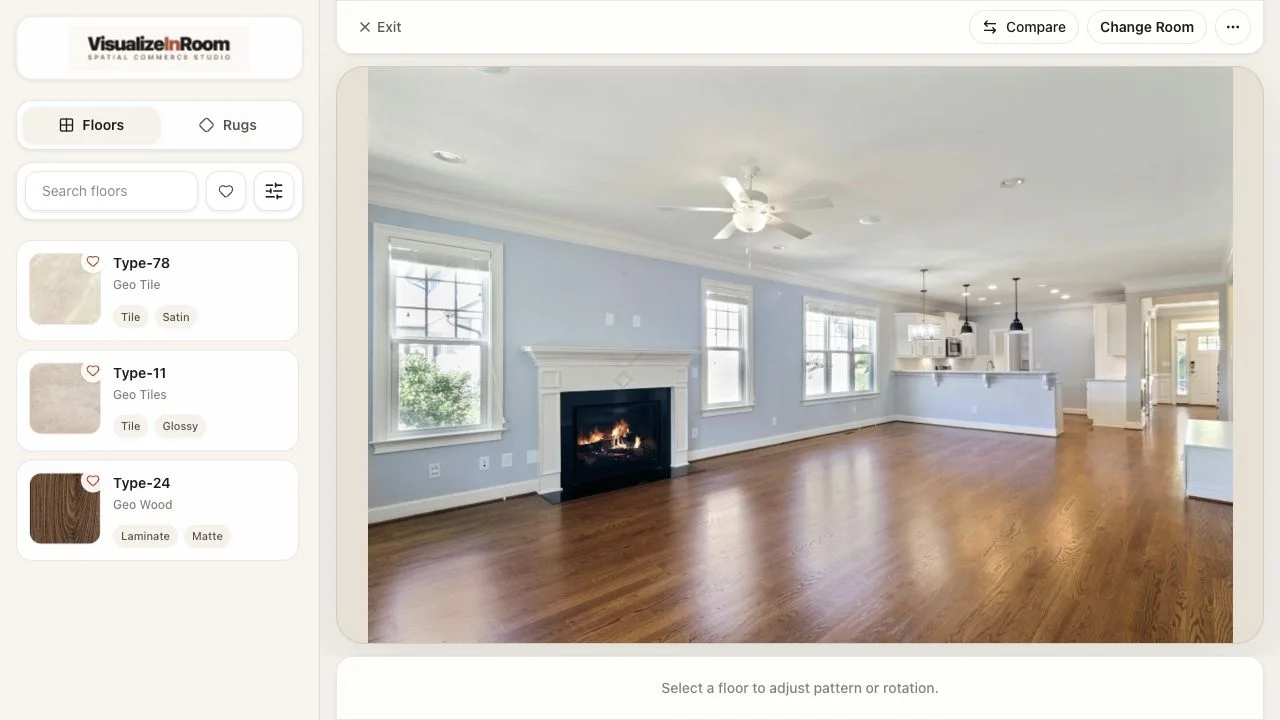
Capture the real room
Start from the buyer's actual space so lighting, wall color, furniture, and room depth stay part of the floor decision.

Floor visualizer for retailers
Help shoppers compare hardwood, tile, vinyl, laminate, and stone finishes in the room where the decision actually happens. VisualizeInRoom gives retail teams a room-context workflow for product comparison, layout direction, and assisted selling.
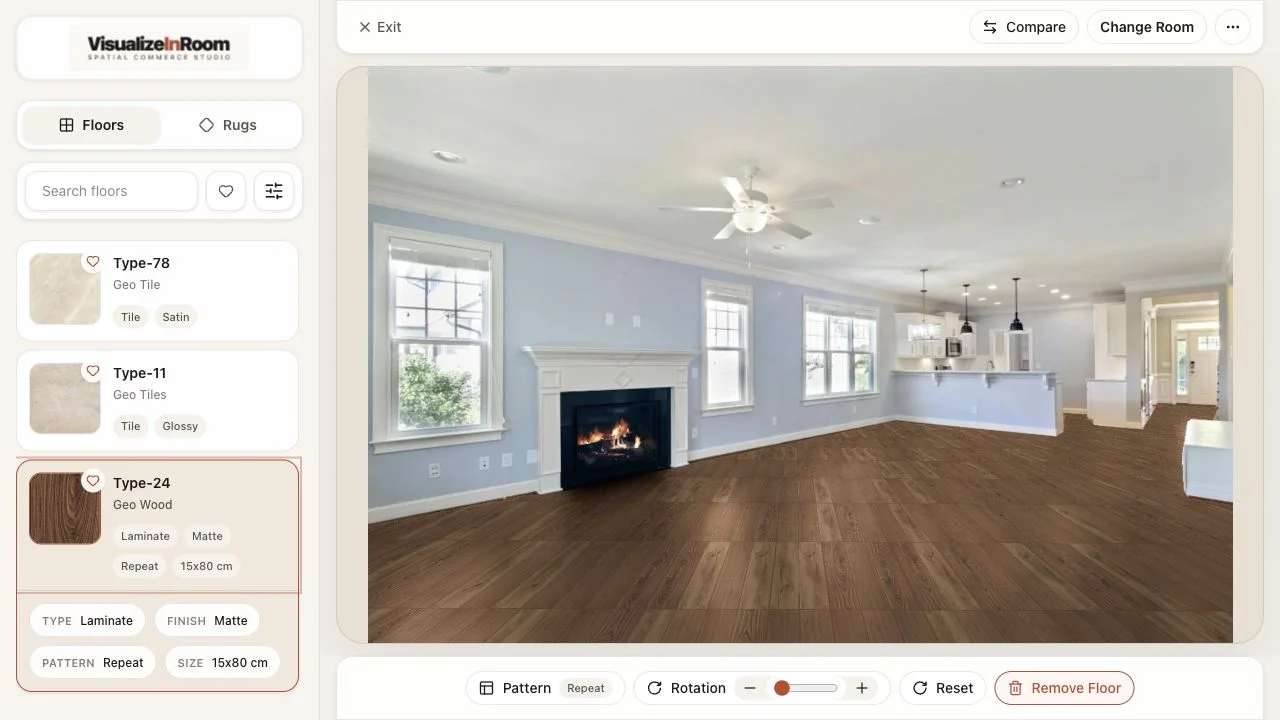
Studio preview
Select finishes and review the rendered floor in the same room context.
Best fit
Flooring retailers and showrooms that need buyers to compare finish tone, pattern, and room impact before samples or quotes.
Operational focus
Strong rollouts need clean finish imagery, pattern rules, product grouping, and direction controls the sales team can explain.
Where it gets used
Product detail pages, showroom consultations, remote design sessions, sample narrowing, and quote handoff.
Workflow proof
Start from the buyer's actual space so lighting, wall color, furniture, and room depth stay part of the floor decision.
Review product swatches, material families, plank or tile patterns, and direction controls without leaving the room preview.
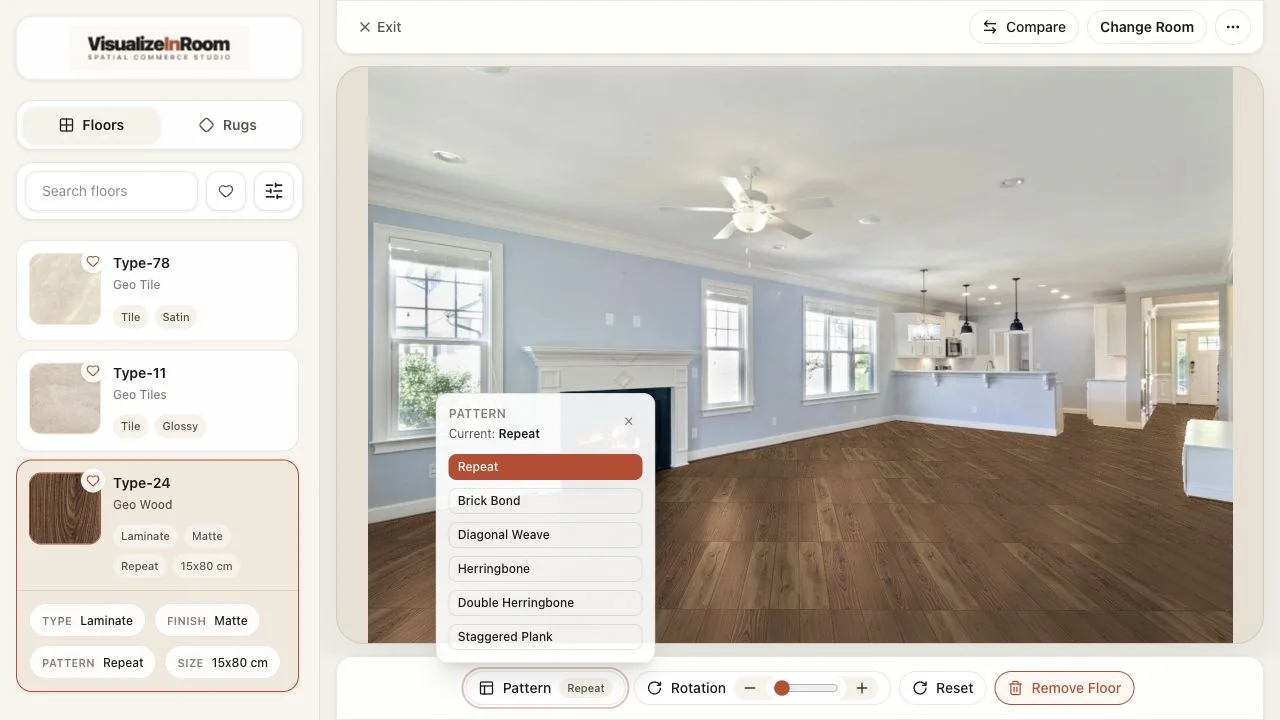
Switch between straight runs, angled layouts, herringbone, or chevron views while the buyer sees the same room context.
Why retail teams use it
Finish, pattern, and direction choices are easier to explain when every option is reviewed inside the same room preview.
Rollout focus: start with priority finish groups, clean pattern rules, and a clear sample or quote handoff.
Room context
Finish tone reads beside the buyer's walls, light, and furniture.
Direction control
Pattern and rotation changes stay visible in one preview.
Sales handoff
Teams can narrow samples and quote next steps from the same view.
FAQ
Flooring teams usually need to qualify comparison behavior, catalog scope, and showroom fit before rollout planning becomes concrete.
Floor evaluation depends more heavily on direction, pattern rhythm, finish tone across room depth, and how the surface interacts with walls, cabinetry, and existing furniture.
Yes. The same room-context workflow can support ecommerce comparison, guided consultations, and larger-screen showroom review without changing the core platform story.
No. A practical rollout usually starts with prioritized finish groups or a room-ready subset of products, then expands as catalog structure and publishing processes settle.
The demo should cover finish group priorities, room capture inputs, how comparison should work for sales teams, and how the workflow connects to sample requests, quotes, or installation planning.
Book demo
We will review your flooring catalog, which finish groups should go first, how showroom or ecommerce comparison should work, and what the rollout needs from your product data.