Reduce purchase uncertainty
Show scale, placement, finish, and fit in the customer’s own room instead of asking them to imagine it from a flat product photo.

Product visualization platform for retailers
VisualizeInRoom helps retail teams launch in-room product previews across ecommerce, assisted selling, showroom kiosks, and branded websites. The result is simpler: cleaner product decisions, faster sales conversations, and better rollout control.
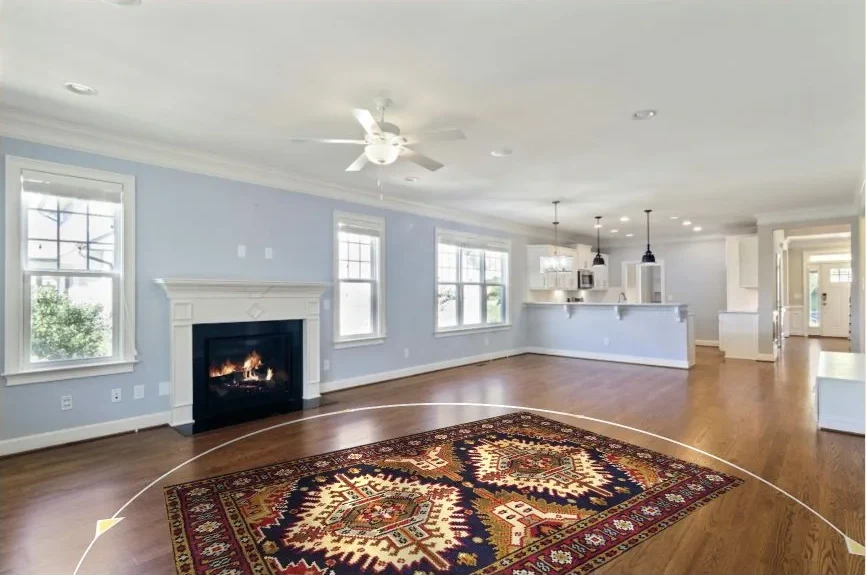
Live product proof
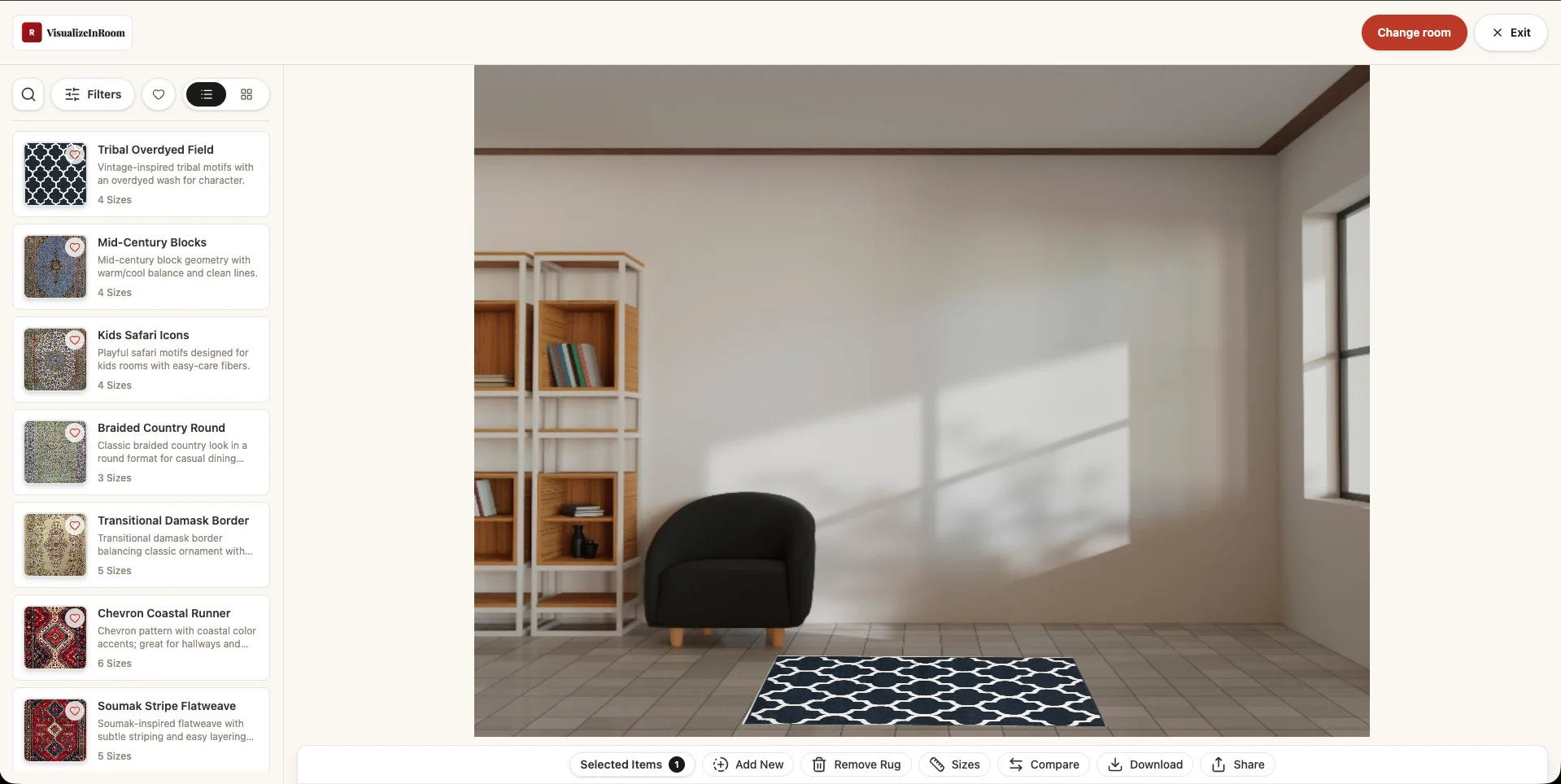
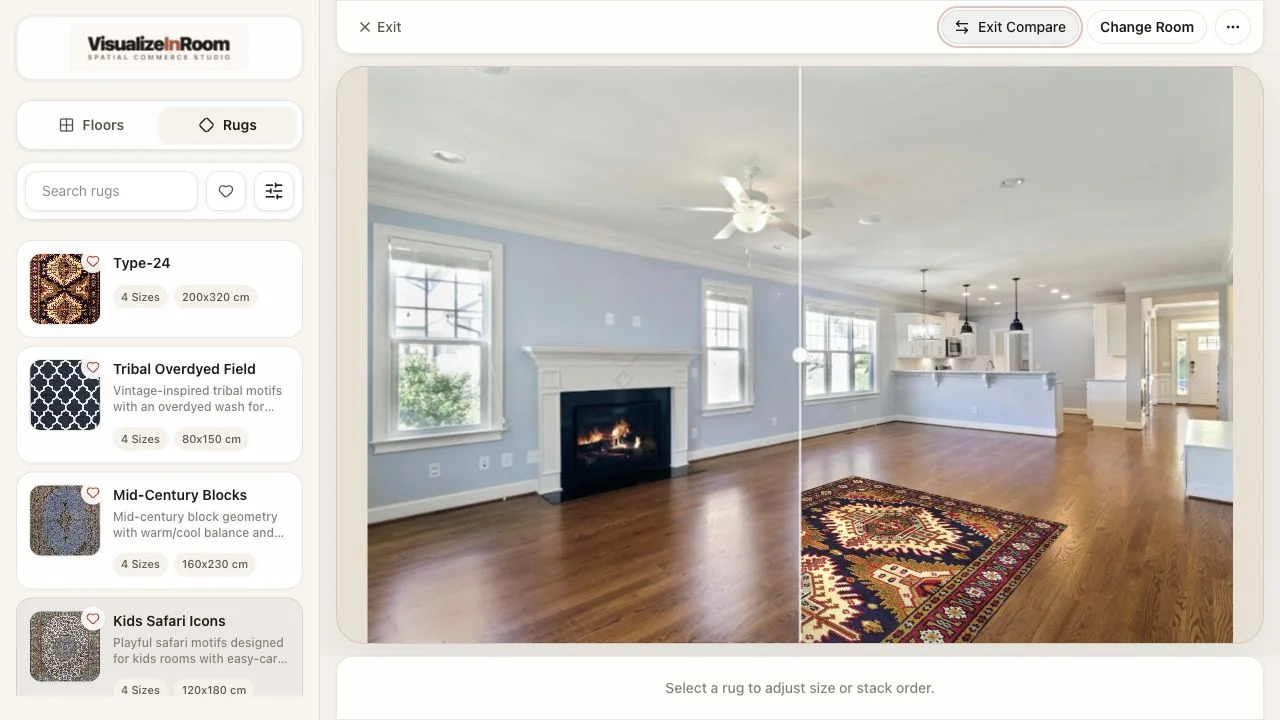
Real platform screenshot from the current visualizer experience, not stock placeholder imagery.
Room upload to room preview
Catalog and environment stay connected.
Module-based rollout
Rug, floor, kiosk, and website paths share one platform story.
Selected partner
A retail brand using VisualizeInRoom for branded visualization workflows.

Primary outcomes for retailers
The platform matters when it reduces the questions that hold a sale back: will it fit, will it anchor the room, and can our team launch it cleanly across channels?
Show scale, placement, finish, and fit in the customer’s own room instead of asking them to imagine it from a flat product photo.
Use the same platform for product pages, showroom consultations, kiosk flows, and remote selling conversations.
Launch with publishable SKUs, merchandising rules, and rollout priorities that retail teams can actually maintain.
Solution paths
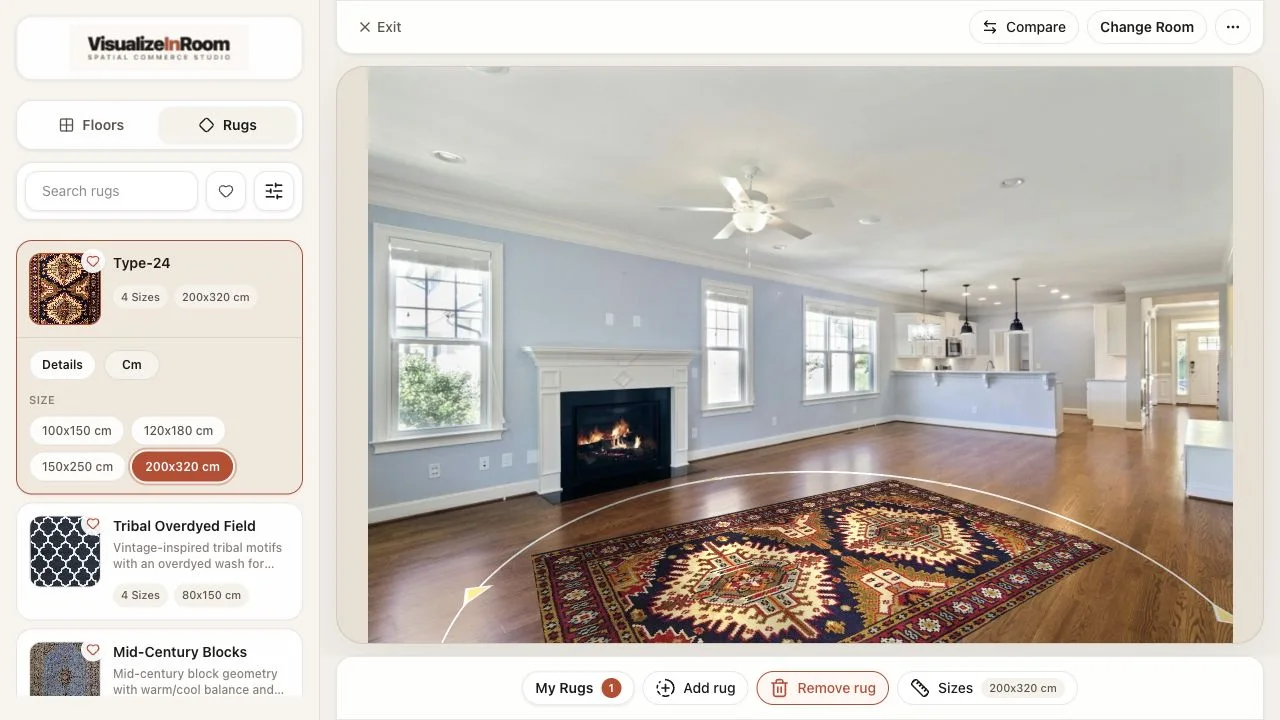
Module
In-room rug placement with scale-aware previews for PDPs and guided selling.
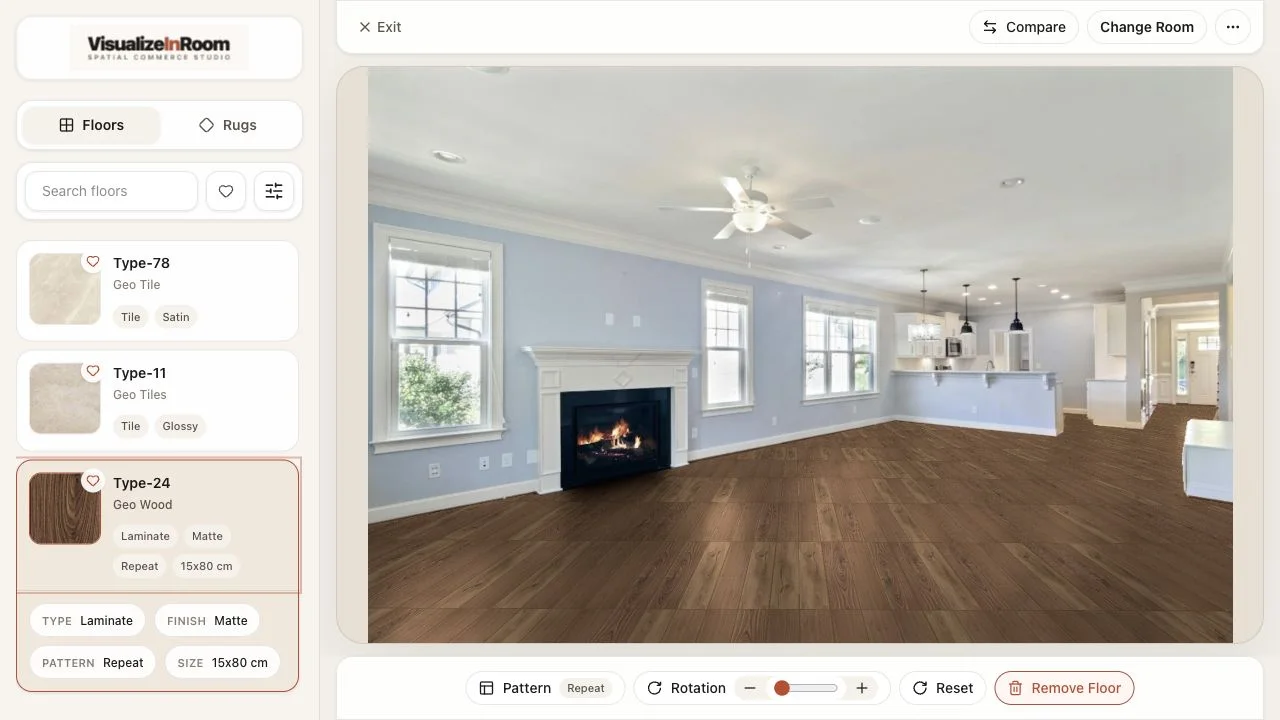
Module
Surface comparison workflows for flooring teams that need finish and direction decisions in context.
Module
Phone-to-screen showroom flow for stores, events, and dealer spaces.
Module
Implementation layer for brands that need the website, Studio connection, and visualization rollout together.
Product proof
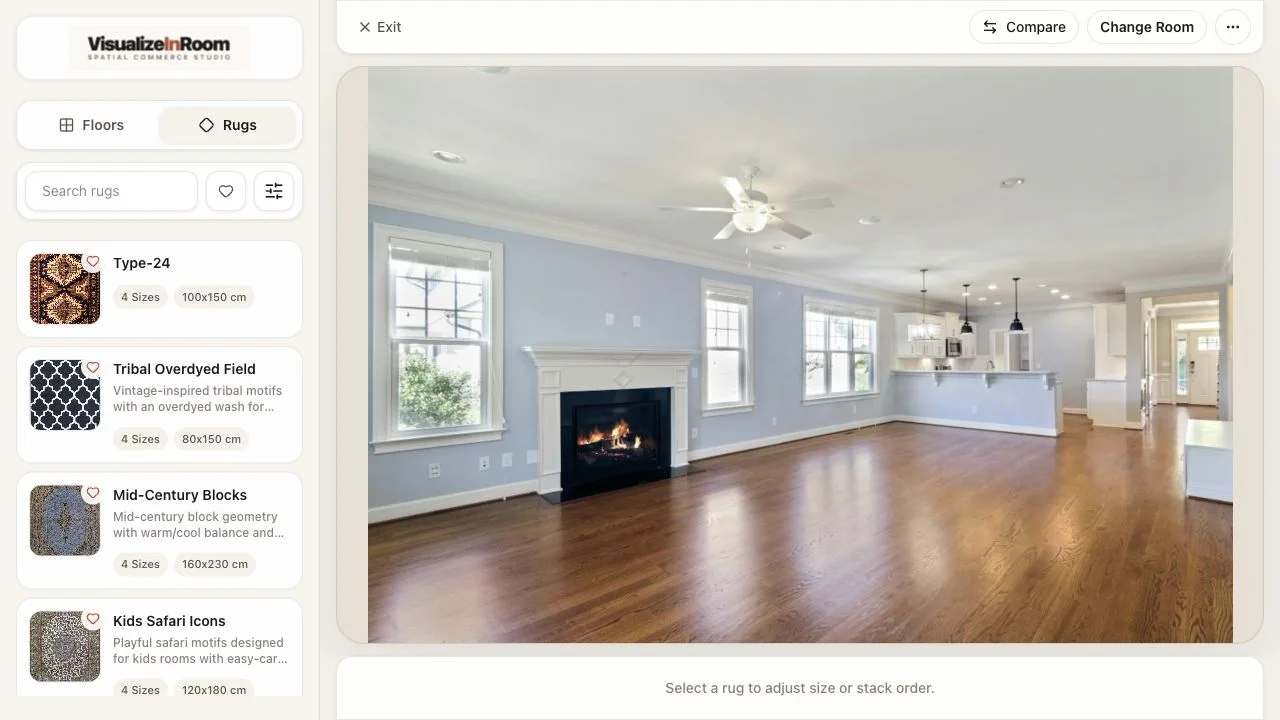
A shopper or sales rep starts with a real room photo, so the conversation begins in the space that matters.
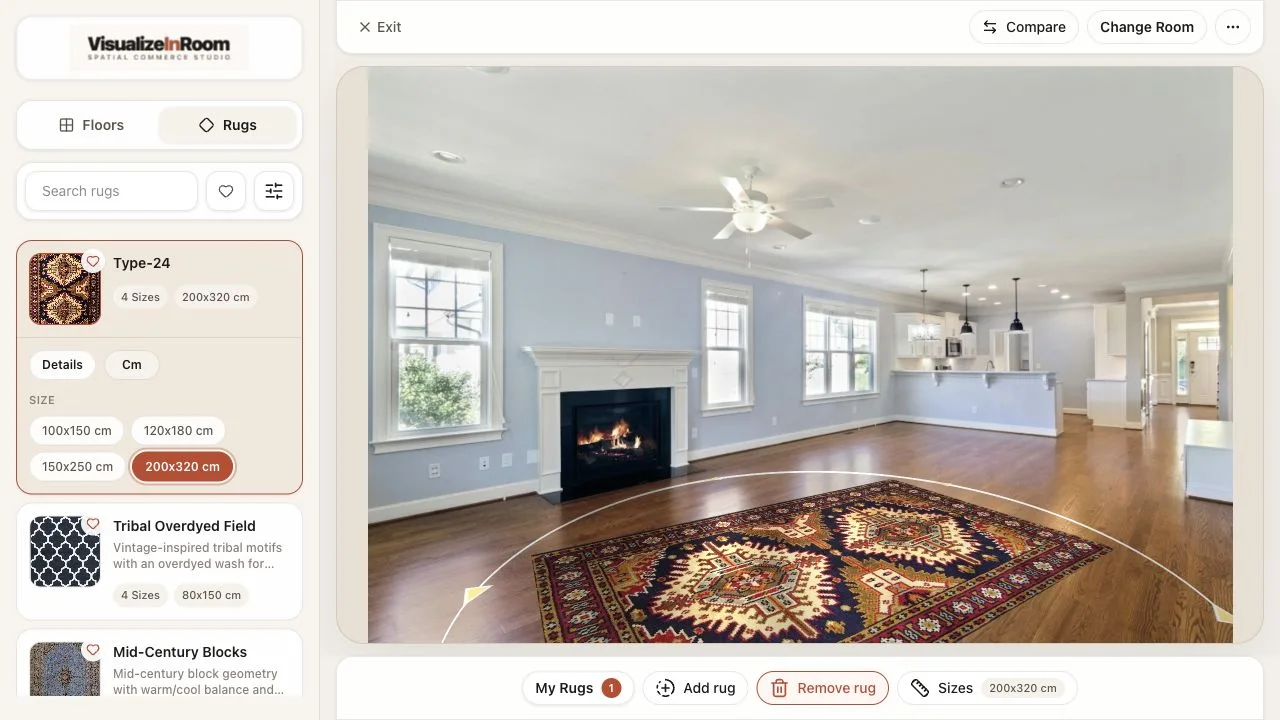
The visualizer uses product dimensions and merchandising data to render believable placement at the right scale.
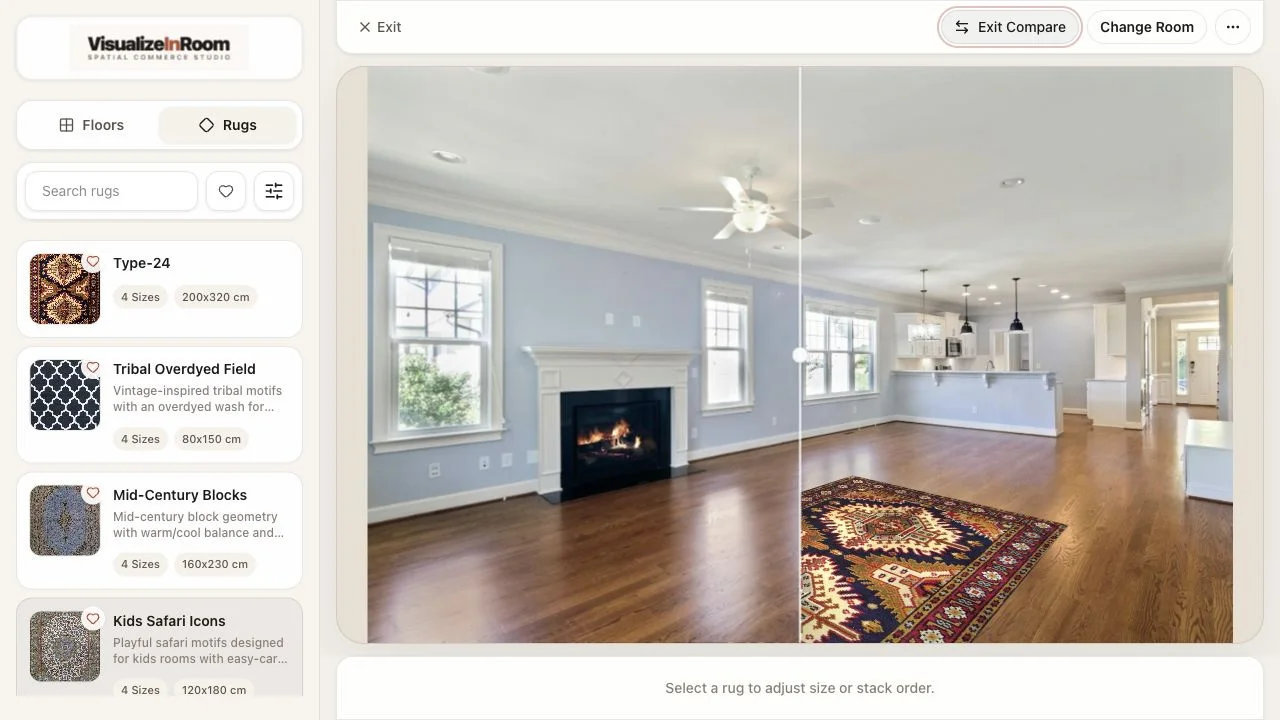
Teams move between products, sizes, and looks inside the same room view instead of resetting the conversation.
Trust and rollout proof
When named customer references are limited, the useful proof is still operational: what was deployed, which products went first, how the team measured adoption, and what changed in the sales workflow once room previews were live.
Rug ecommerce rollout
An anonymized retailer launched first on a prioritized PDP slice, starting with room-ready SKUs and measuring visualizer starts, support quality, and post-interaction cart behavior.
Multi-surface assisted selling
A showroom team used the platform across rugs and floors to shorten explanation cycles during consultations and make sample requests more intentional.
Kiosk deployment model
Retail teams use the same platform shell on a larger display while shoppers upload from their own phone, keeping the flow simple without shared-device friction.
FAQ
Most evaluation questions come down to rollout scope, catalog readiness, and where the experience should live first.
VisualizeInRoom is built for retailers selling rugs, floors, and other room-led categories across ecommerce, assisted selling, showroom kiosks, and branded website experiences.
No. Most teams start with one room-ready category or a prioritized PDP slice, then expand once product data, merchandising ownership, and measurement are working cleanly.
Yes. The same platform shell can support ecommerce product pages, assisted selling conversations, and kiosk-style showroom flows without requiring a separate product story for each channel.
The useful demo reviews your product categories, catalog readiness, rollout surface, and which internal team will own launch, measurement, and ongoing publishing once the experience is live.
Book demo
We will review your product categories, current sales flow, catalog readiness, and the right launch path for rugs, floors, kiosk deployment, or website rollout.