1
Start the display
Staff opens showroom mode on the consultation screen.

Showroom mode
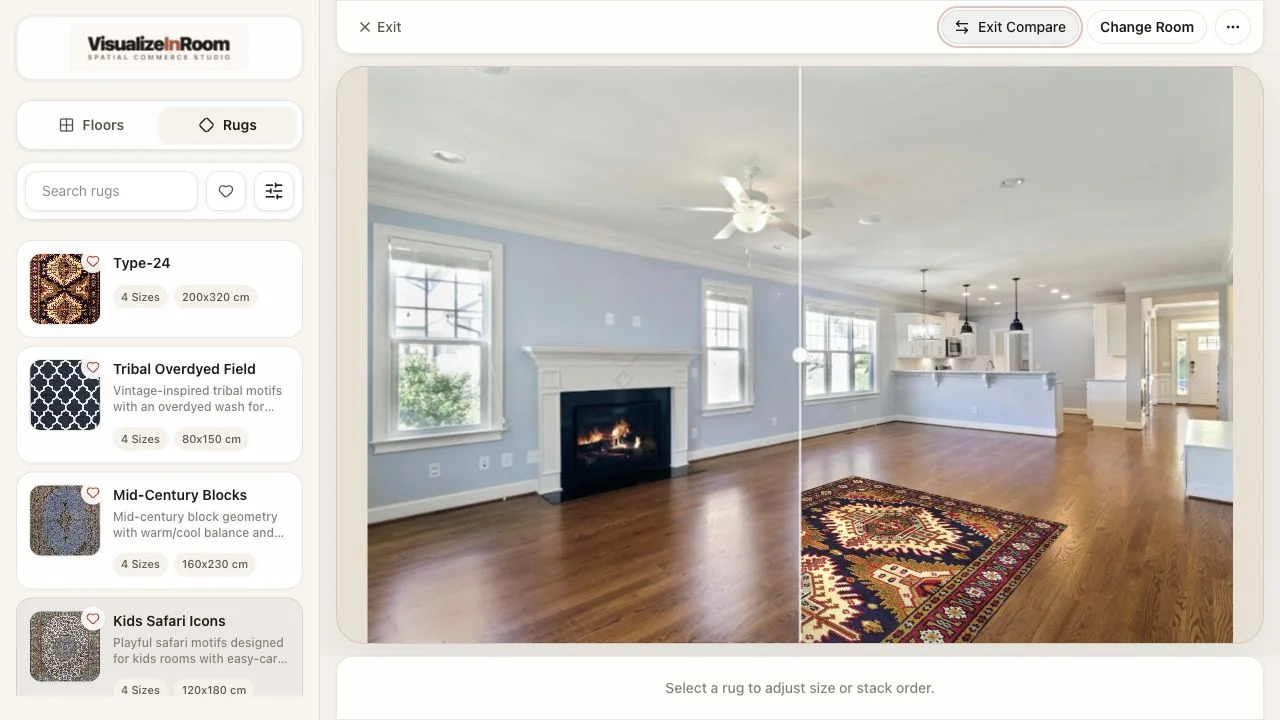
Showroom mode keeps the private upload on the shopper's phone and moves the visualizer review to the screen staff already use for guided selling.
Included with the visualizer platform, so stores can use the same room-preview experience online and in person.
Private upload
The customer keeps the room-photo step on their own device.
Staff-led review
The store screen stays focused on guided comparison.
Included mode
Kiosk flow is part of the platform, not a separate product to buy.
In-store workflow
The customer scans, uploads privately, and returns to a shared review that staff can guide without changing devices or explaining software.
Staff opens showroom mode on the consultation screen.
The shopper uploads from their phone instead of touching shared hardware.
The room returns to the display for product comparison and next steps.
Showroom setup
The strongest showroom rollout feels rehearsed: staff know where the screen lives, which catalog to use, and what happens after the room preview.
Best fit: assisted sales where staff need a bigger shared view but the customer should still control their own room photo.
Screen location
Choose the display or consultation browser where staff will run the conversation.
Upload handoff
Keep the QR scan and phone upload path clear before the customer starts.
Priority catalog
Limit the first rollout to products staff can confidently compare and sell.
Next step
Decide whether the handoff ends in sample selection, quote follow-up, or saved review.
Book demo
We will review store layout, display assumptions, QR handoff, catalog scope, network needs, and how the included showroom mode should connect back to your sales process.